Features
Built for lifters who want results.
Every feature below is in the SteelPath app today. Features marked Pro are part of SteelPath Pro; everything else is free.
Programs & Splits Free
Follow a program, or build your own split.
A split organizes which muscle groups you train each day, and you drive the workouts. A program does that too, and also makes the weight decisions for your main lifts.
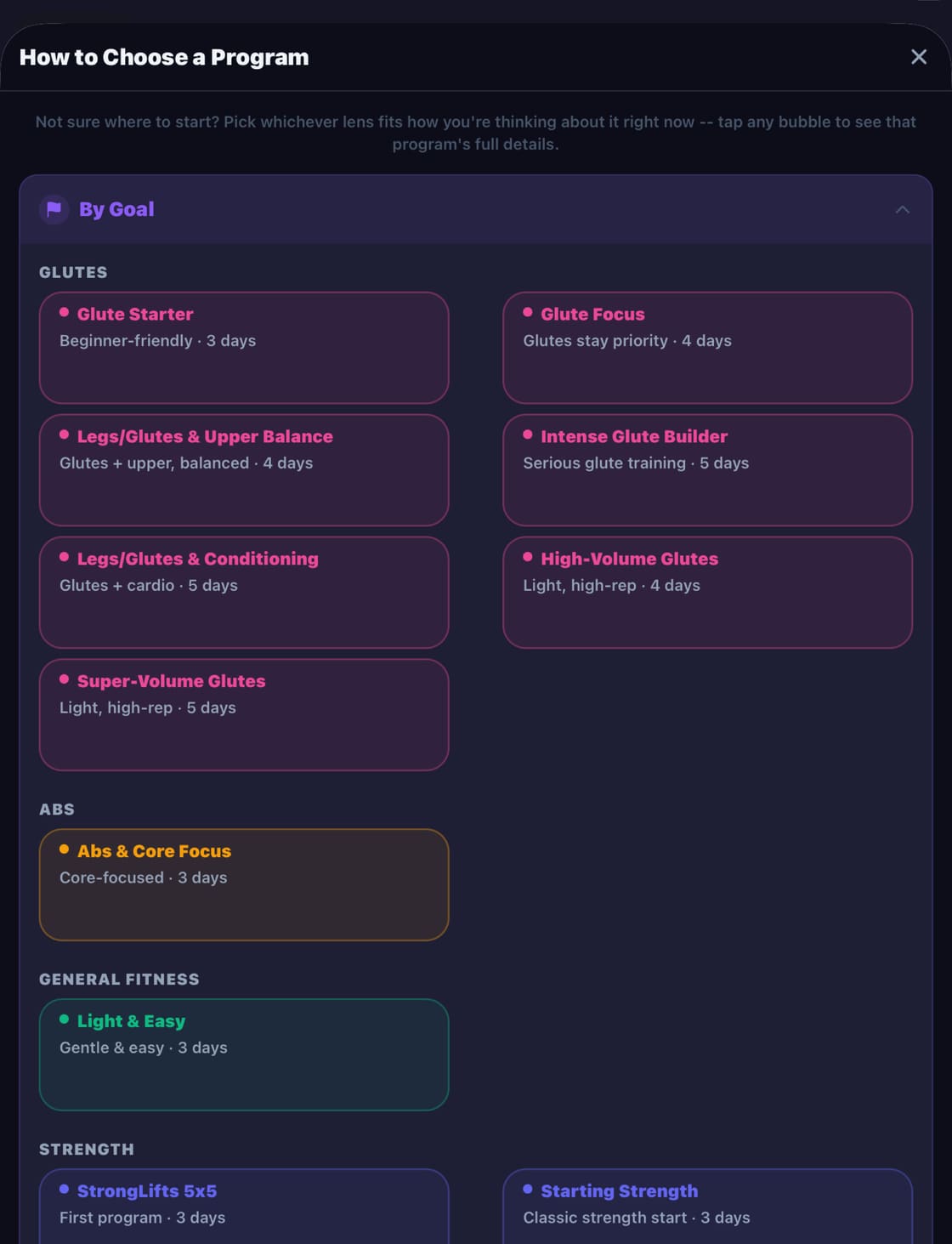
- Ready-made programs, including StrongLifts 5x5, Starting Strength, Upper/Lower, PHUL, PHAT, 5-Day Push/Pull, 5-Day Bro Split and a range of glute-focused programs.
- Automatic progression. Hit your target reps and the lift goes up next time (by default +10 lb for lower-body compounds, +5 lb for upper-body compounds, +2.5 lb for isolation lifts).
- Stall handling. Miss a lift three sessions in a row and SteelPath drops it 10% and suggests a smaller increment.
- Scheduled deloads every 6th week: main lifts drop to 60% of your working weight with two fewer sets.
- Smart starting weights from your logged history (85% of your last working weight), or enter your own.
- Build a custom split of up to 7 days, with your own day names and muscle groups, or choose from ready-made splits for strength, glutes, cardio, running, walking, calisthenics and more.
- Convert any split into a program: pick a main lift and starting weight for each day, and SteelPath tracks them from there.
- Program chooser to find a plan by goal, days per week or intensity.
See a body map of your training and recovery.
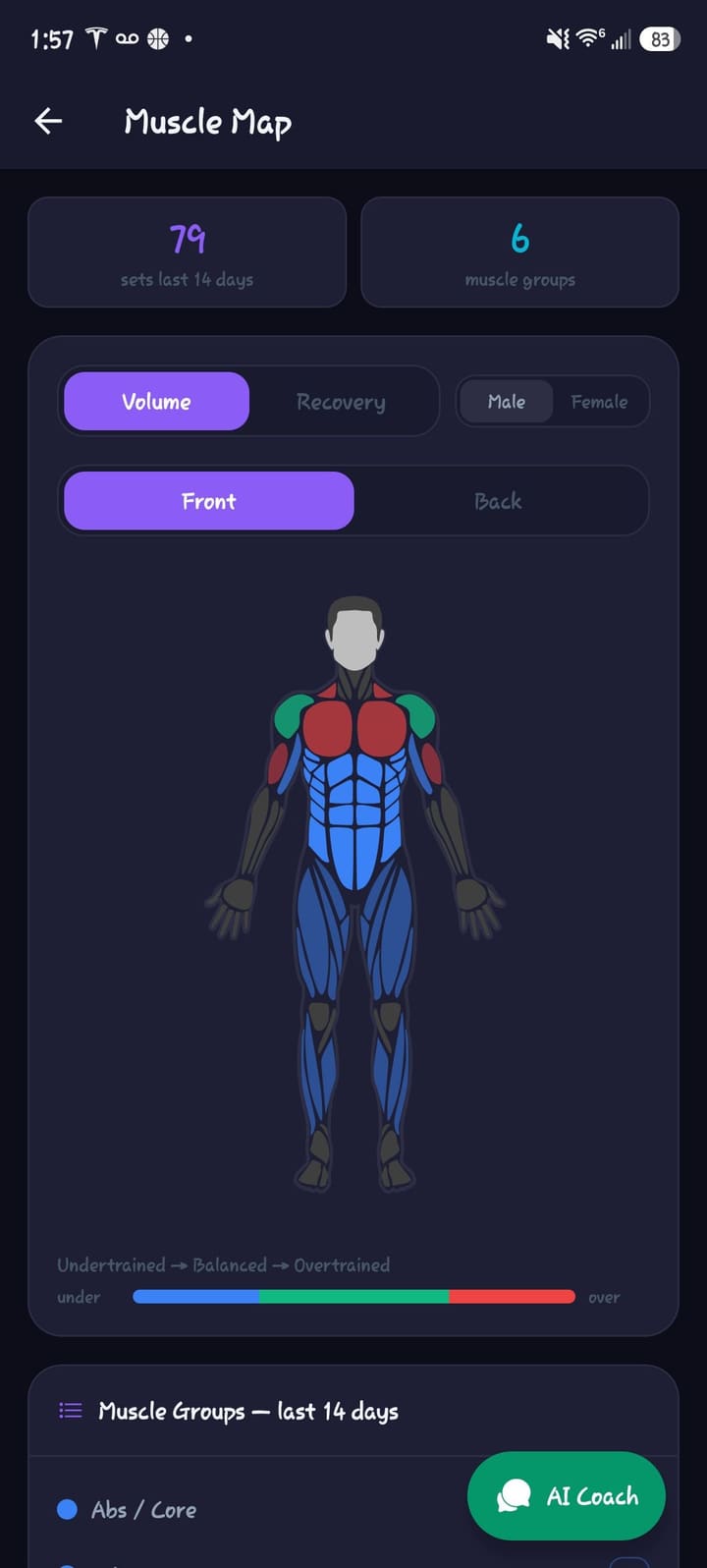
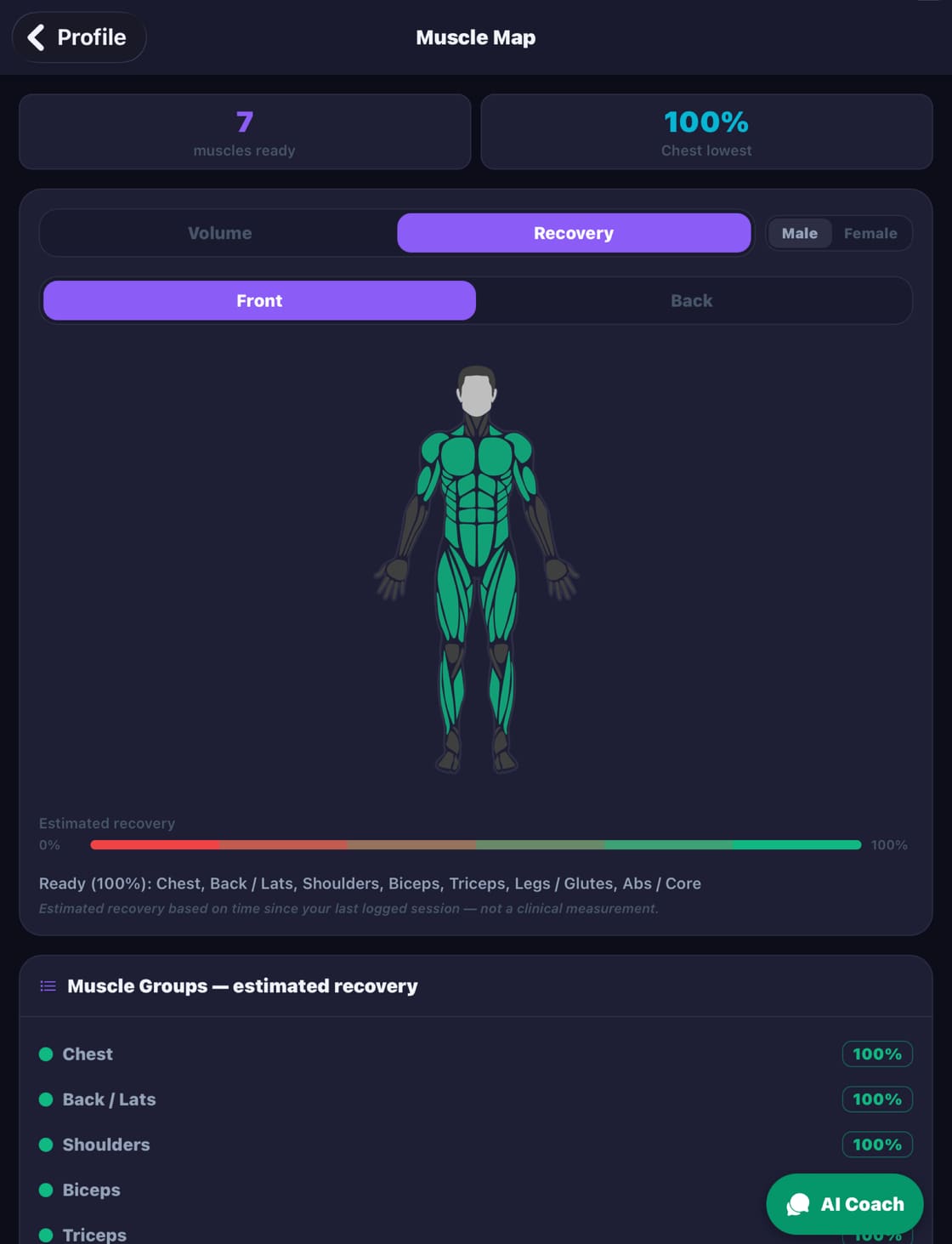
The Muscle Map is an interactive body figure (front and back, male or female) colored by your logged sets. It tracks seven muscle groups: Chest, Back/Lats, Shoulders, Biceps, Triceps, Legs/Glutes and Abs/Core.
Volume mode: training balance
Counts your sets per muscle group over the last 14 days and compares each group’s share against a balanced target. Groups within 25% of target are shaded green, undertrained groups shift to blue, and overtrained groups shift to red, getting more intense the further off they are.
Recovery mode: what’s ready
Estimates how recovered each muscle group is from the time since you last trained it: about 48 hours for arms, shoulders and abs, 60 for chest, and 72 for back and legs. It’s an estimate based on time since your last logged session, not a clinical measurement.
- Balance Insights: plain-English tips on your biggest imbalances, like “Your back is lagging behind your pushing work this cycle — worth adding a pull day.”
- Tap any muscle to see the exercises that hit it in the last 14 days, sets per exercise, total sets, and days since you last trained it.
- Ranked muscle list, sorted by most out-of-balance (Volume) or most recovered (Recovery). Tap a row to highlight it on the body.
- Summary chips show total sets in the last 14 days and muscle groups trained, or muscles ready and the least-recovered group.
- Ask the coach with the AI Coach button right on the Muscle Map.
See the balanced target shares
| Muscle group | Target share of sets |
|---|---|
| Legs / Glutes | 22% |
| Back / Lats | 20% |
| Chest | 16% |
| Shoulders | 14% |
| Triceps | 10% |
| Biceps | 9% |
| Abs / Core | 9% |
An AI fitness coach that knows your numbers.
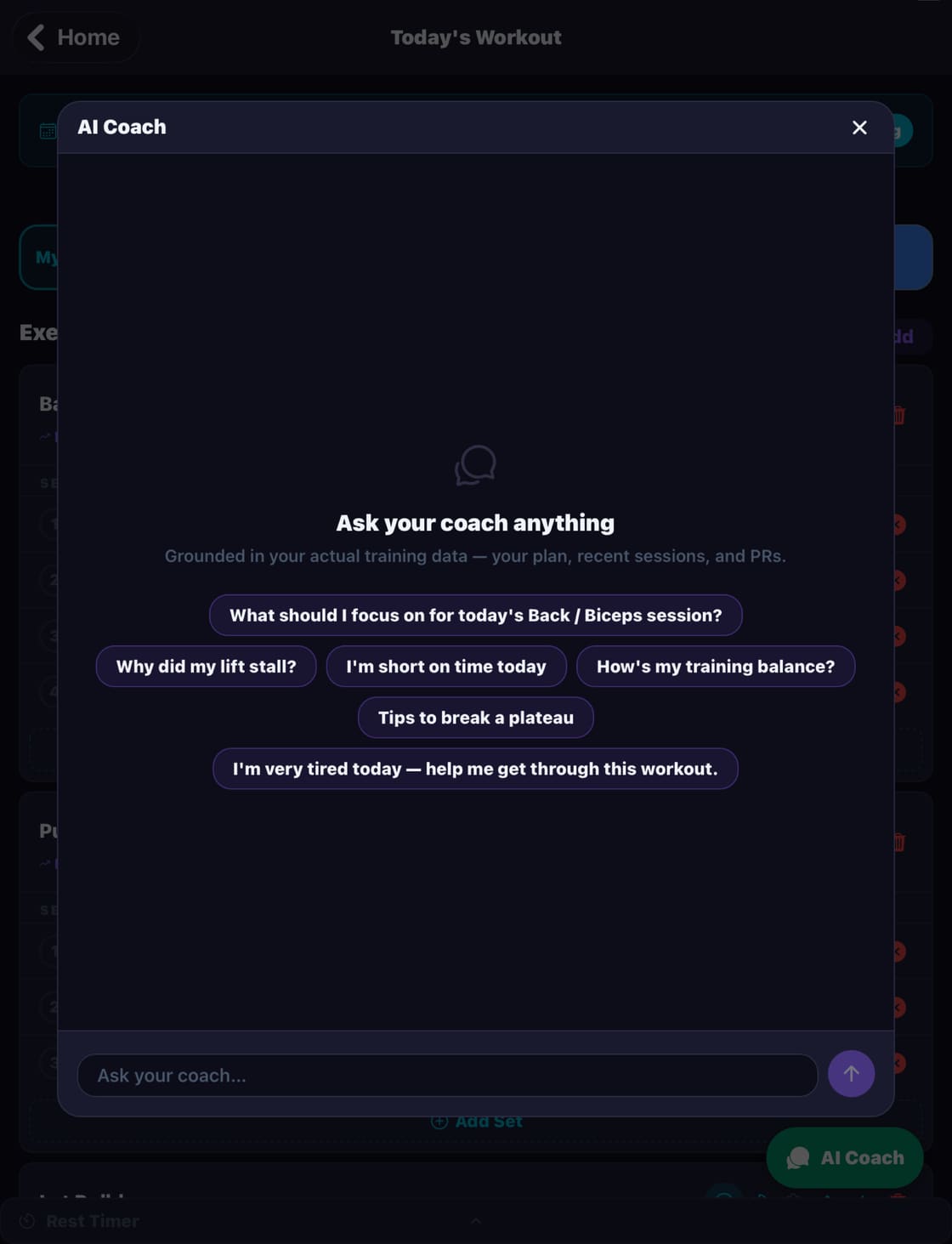
Chat with a coach that knows your workouts, history and progress, and generate workouts built around your split and equipment.
- Grounded in your data. The coach reads your plan, your recent sessions (the last 4 weeks in detail plus weekly summaries going back about 2 months), training balance, recovery and PRs, so it answers about your training, not generic advice.
- Suggested questions like “Why did my lift stall?”, “I’m short on time today” and “How’s my training balance?”
- Workout adjustments you approve. The coach can propose changes to today’s workout; nothing changes until you approve it.
- Remembers context across conversations, and can offer timely nudges, such as when a lift has stalled.
- Ask Coach buttons on Today’s Workout, Trends and the Muscle Map.
- AI workout generation. Tap Generate Workout and SteelPath builds a session for the day’s muscle groups from your exercise library. Tap Regenerate for a different mix. On program days it generates accessories around your main lifts.
- Equipment setups (Full Gym, home setups, bands only, or your own) so generated workouts only use what you have.
The AI Coach doesn’t diagnose injuries or give medical advice. New accounts can try 5 AI Coach messages and 3 AI workout generations during the 15-day trial; after that, AI features need SteelPath Pro.
Demo videos for 152 exercises.
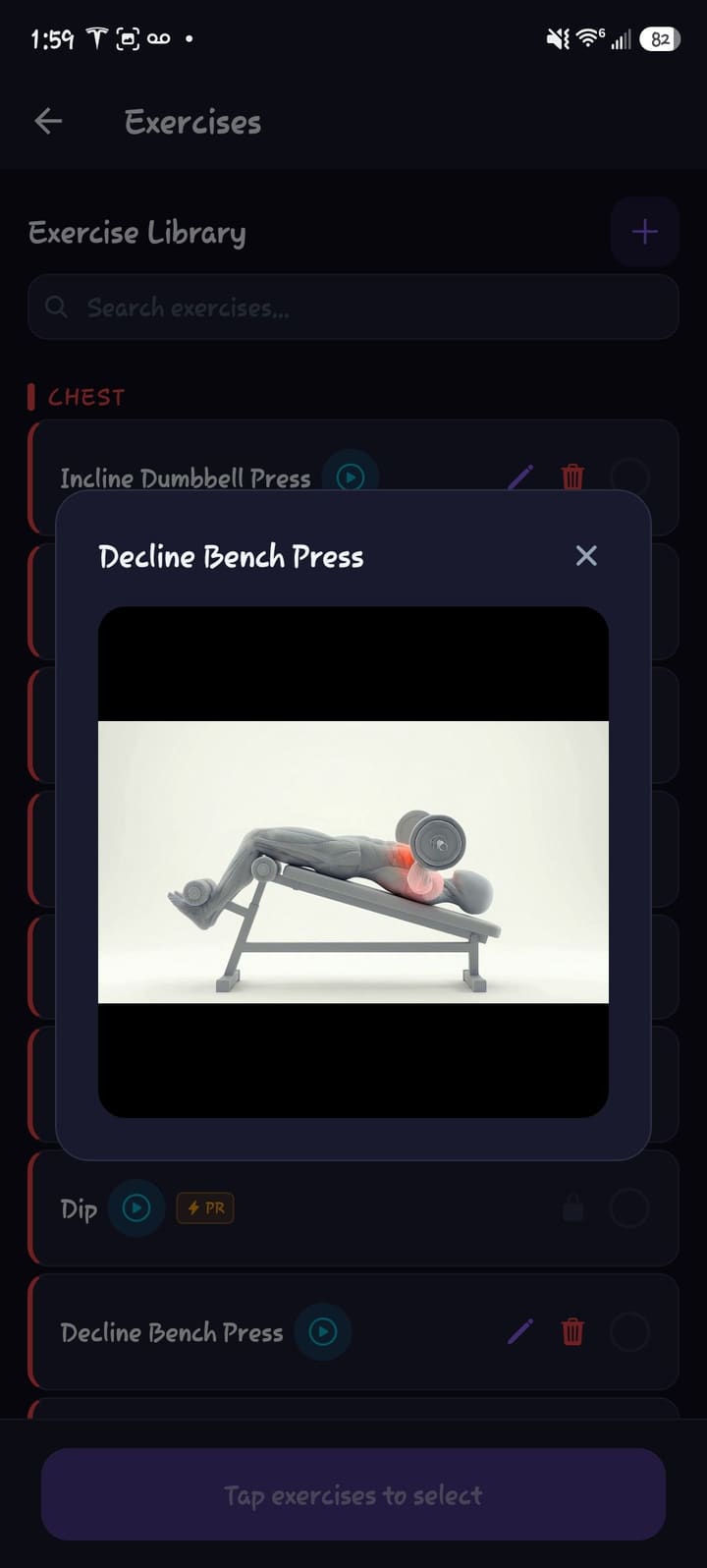
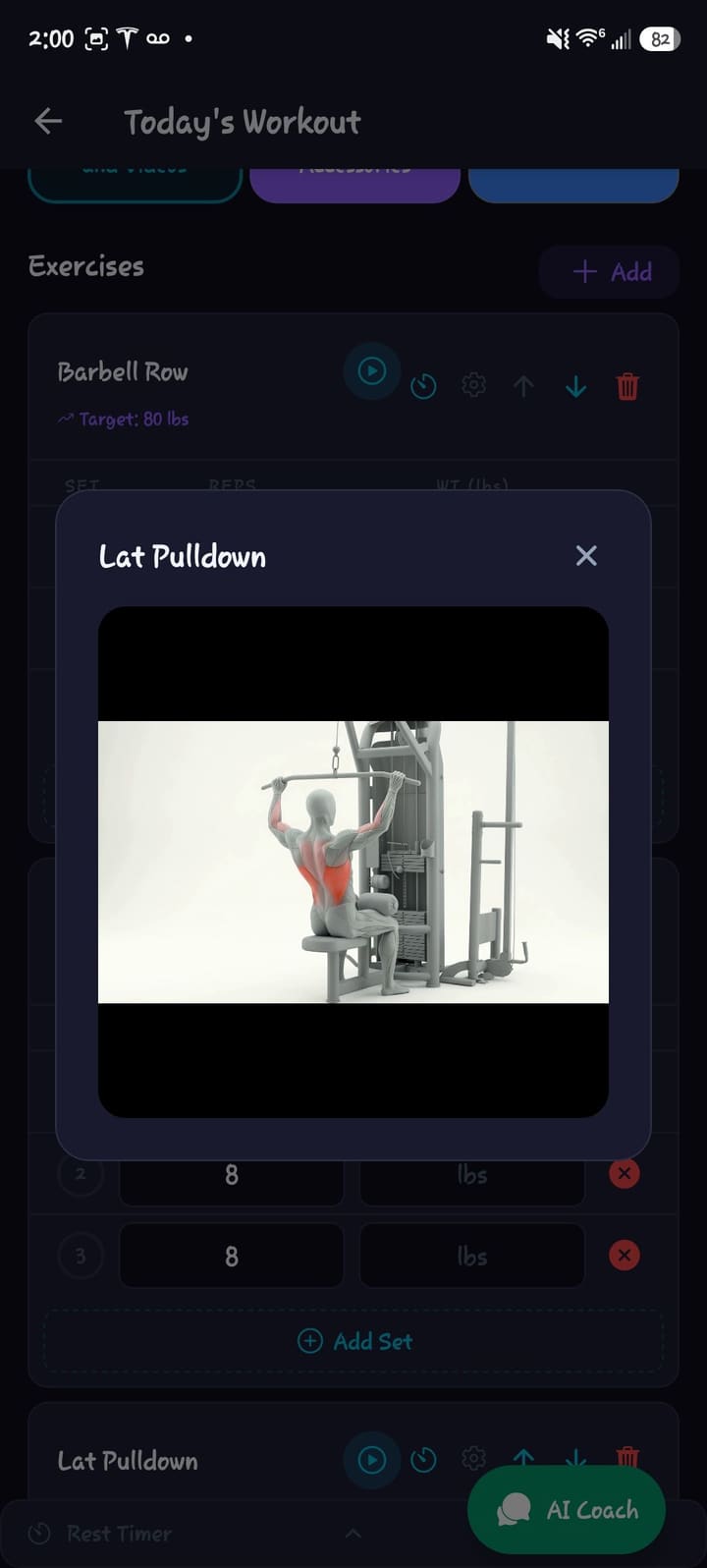
A library of 200+ exercises, with looping demo clips for 152 of them, available in the library and right inside your workout.
- Demo videos for 152 exercises: looping clips you can tap to pause, from the library and right inside your workout.
- Browse by muscle group or search. Each muscle group has 20+ exercises.
- Add your own exercises with a muscle group and the equipment they need.
- Multi-select several exercises and add them to today’s workout in one tap.
Workout logging Free
Log fast. Rest right. Load the bar correctly.
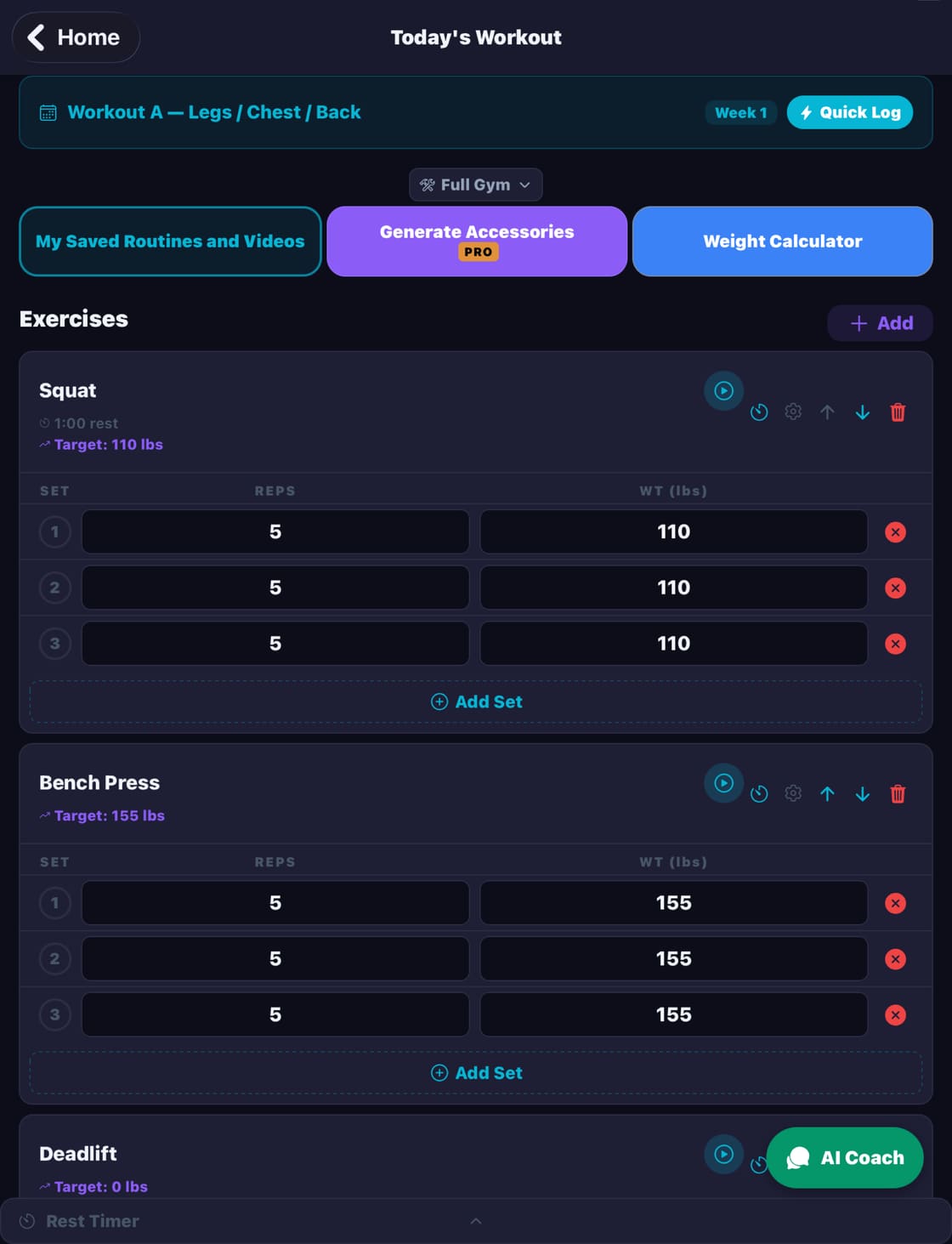
- Today’s Workout picks up the next day of your plan automatically. Enter reps and weight, then check off each set.
- Program targets show each main lift’s working weight, plus what you did last time.
- Rest timer can start automatically when you complete a set, or start it manually. Choose a preset rest time, and turn the alert sound and vibration on or off.
- Plate calculator. Enter a target weight to see exactly which plates go on each side, or enter the plates you’ve loaded to get the total.
- Saved routines. Save any workout as a reusable routine and load it back in one tap.
- Saved video links. Keep your favorite YouTube workout videos, labeled and tagged.
- Share a workout summary card when you finish.
- lbs or kg: switch units anytime in Settings.
Progress tracking
PRs, trends, streaks and a calendar of every session.
- Automatic PRs for major lifts as you log Free, plus your own manual records for anything else, like a longest run.
- Stats at a glance Free: total workouts, this week, total sets and your current streak.
- Streaks Free count consecutive days with a logged workout. Planned rest days don’t break them.
- Calendar Free with workouts, rest days and missed days color-coded. Tap any date to see what you did, add a note, or log macros.
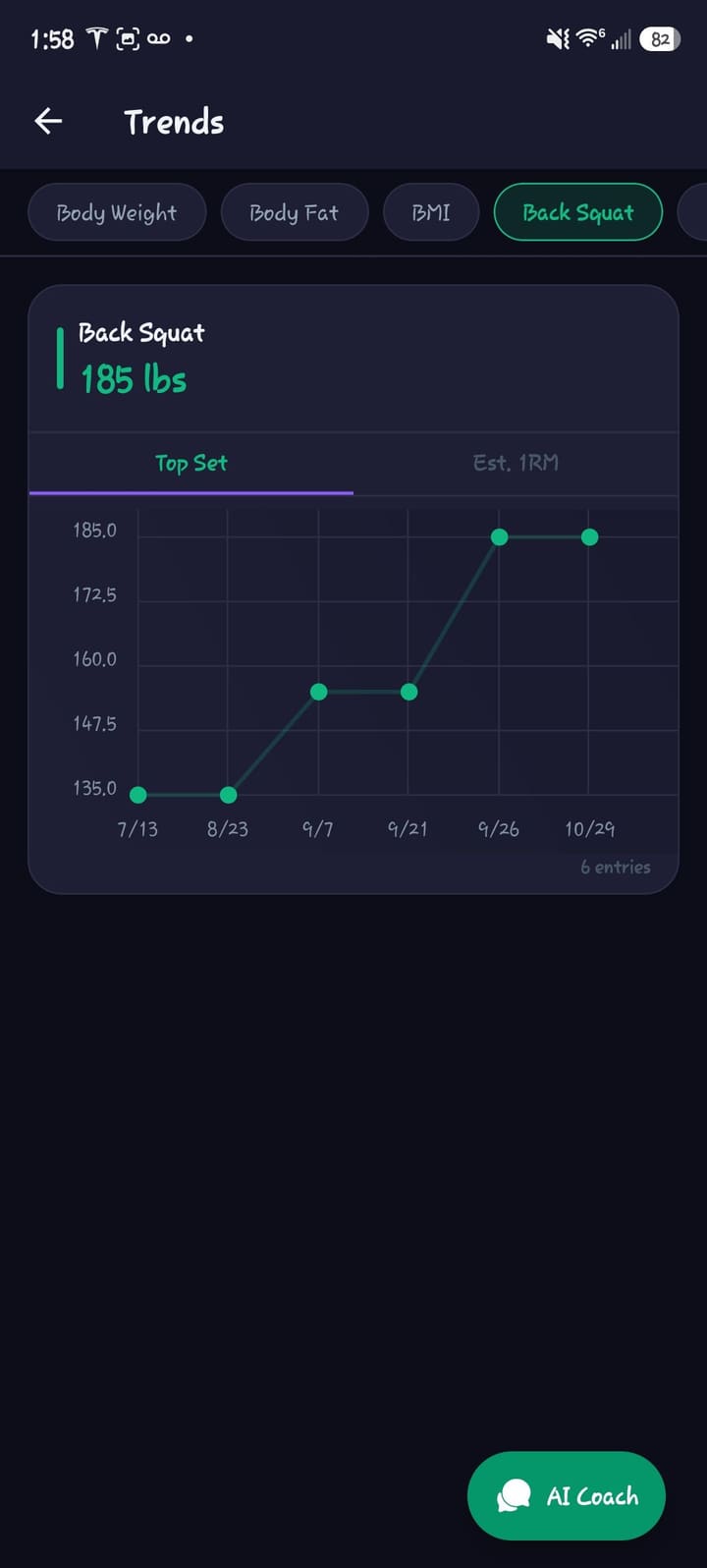
- Trends Pro: chart body weight, body fat and BMI, plus lifts like Back Squat, Bench Press, Deadlift and Pull-Up by top set or estimated 1RM.
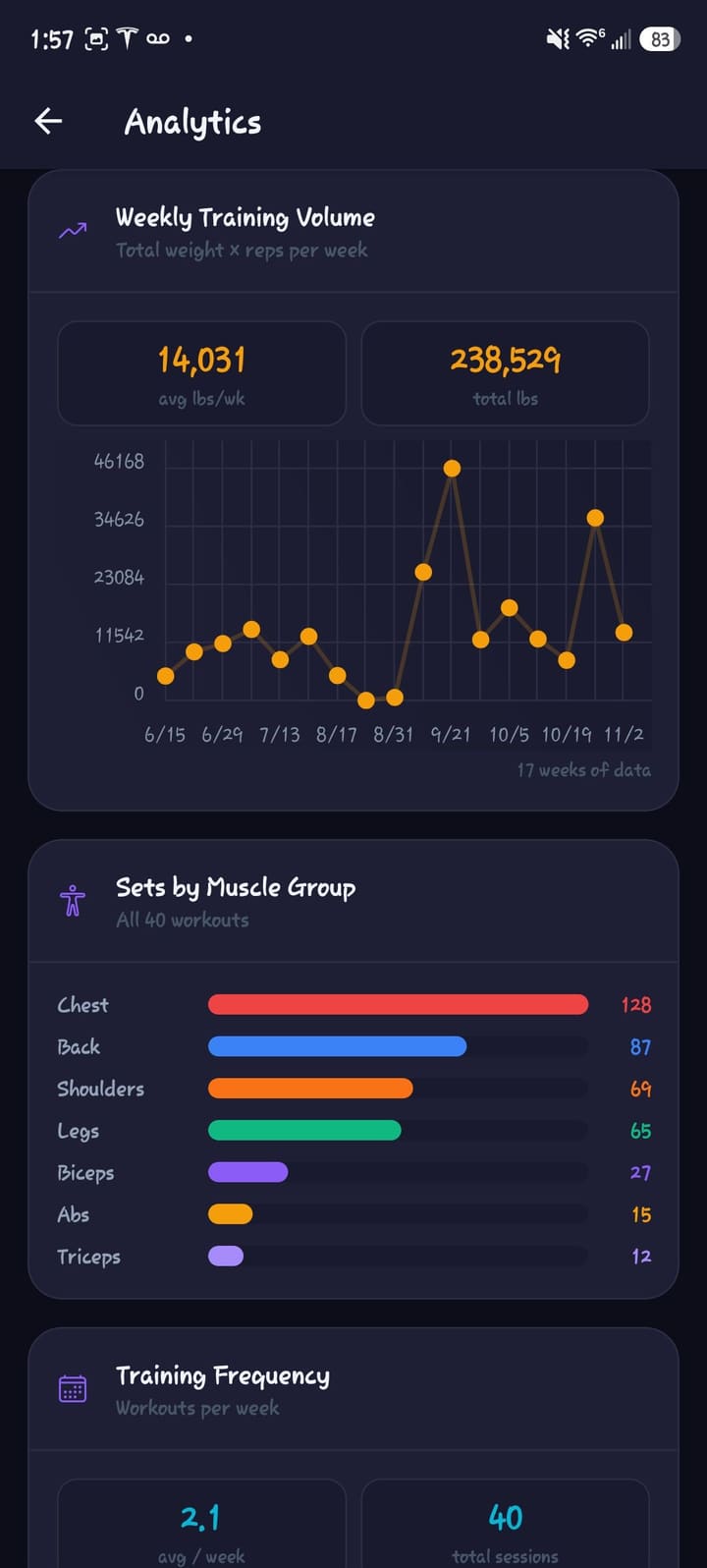
- Analytics Pro: weekly training volume, sets by muscle group and training frequency.
- Body measurements on your profile (waist, chest and more) and progress photos Pro with a before/after compare view.
Nutrition & goals Free
Fuel the work. Set the target.
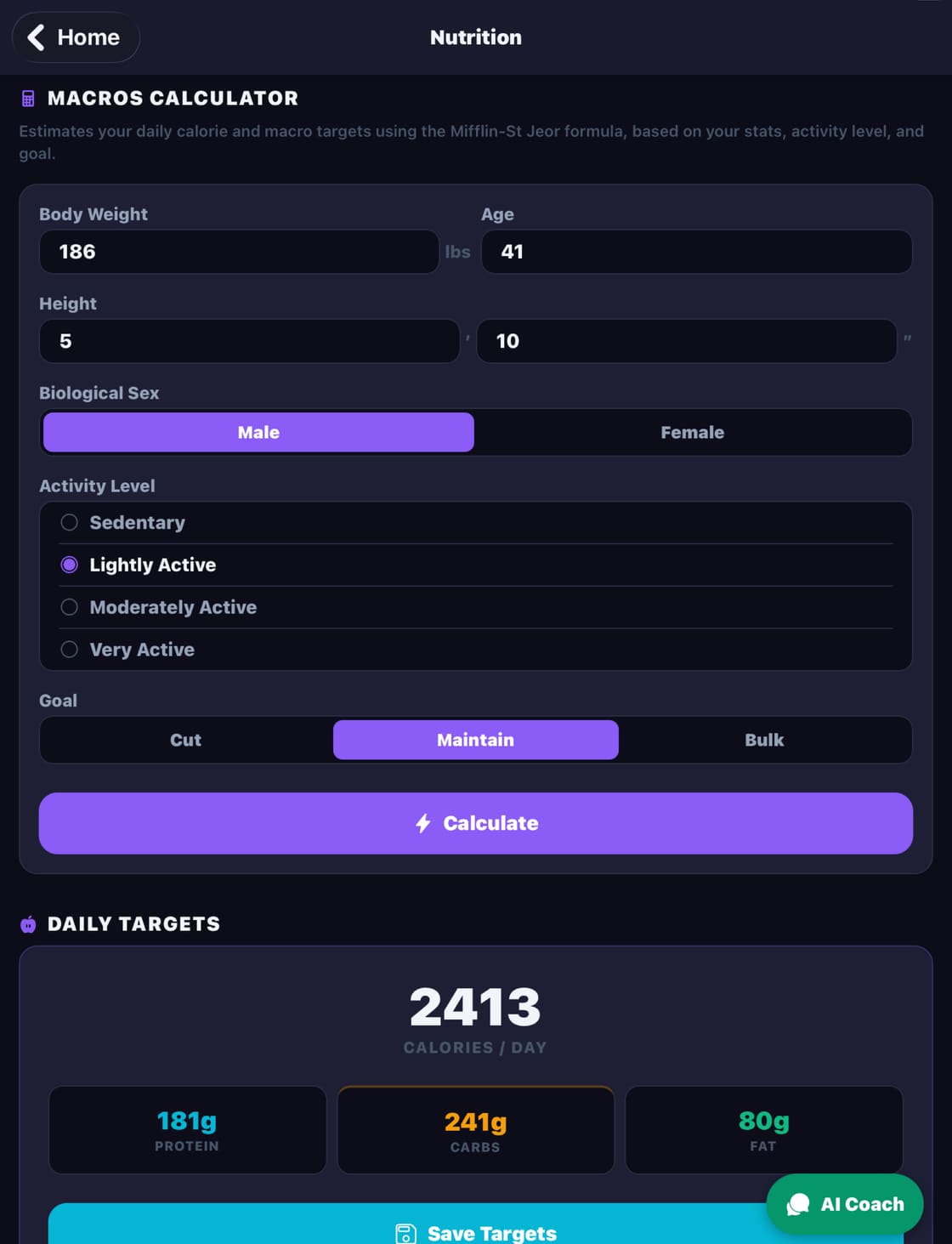
- Macros calculator using the Mifflin-St Jeor formula, based on your weight, height, age, sex and activity level.
- Cut, maintain or bulk: the goal adjusts both your calories and your protein/carb/fat split.
- Daily macro and calorie log to record what you eat.
- Goal Tracker for a specific lift, total volume, completing X workouts, a workout streak, body weight, a macro goal, or a simple checkbox goal. Goals can be daily, weekly, monthly or yearly, and can repeat automatically.
- Celebrations when you hit a goal.
And more
The details that make it yours.
Cloud sync Free
Your workouts, plans and progress sync to your account and can be restored on a new device. The app works offline first and syncs when you’re connected.
Workout reminders Pro
Schedule weekly reminders for your training days, with your own time and message.
CSV export Pro
Export your training data as CSV files.
Themes
The default theme is free. Pro unlocks Blue, Crimson, Emerald and Violet.
Plate calculator Free
Works forward (target to plates) and in reverse (plates to total).
Built-in guide Free
A How to Use section and full in-app guide walk you through every screen.
Ready to see a body map of your training and recovery?
Pick a program or build a split, log your first session, and let SteelPath handle the numbers.